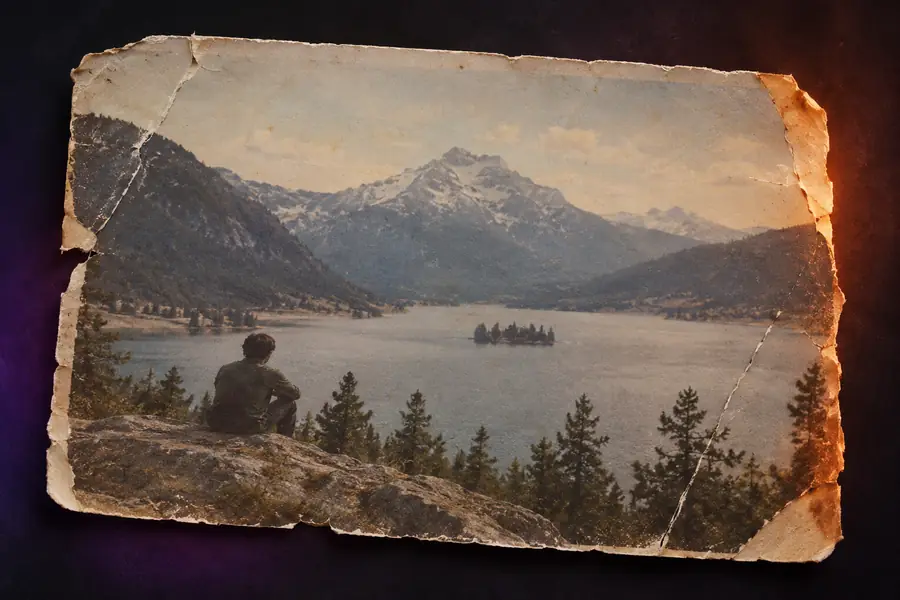
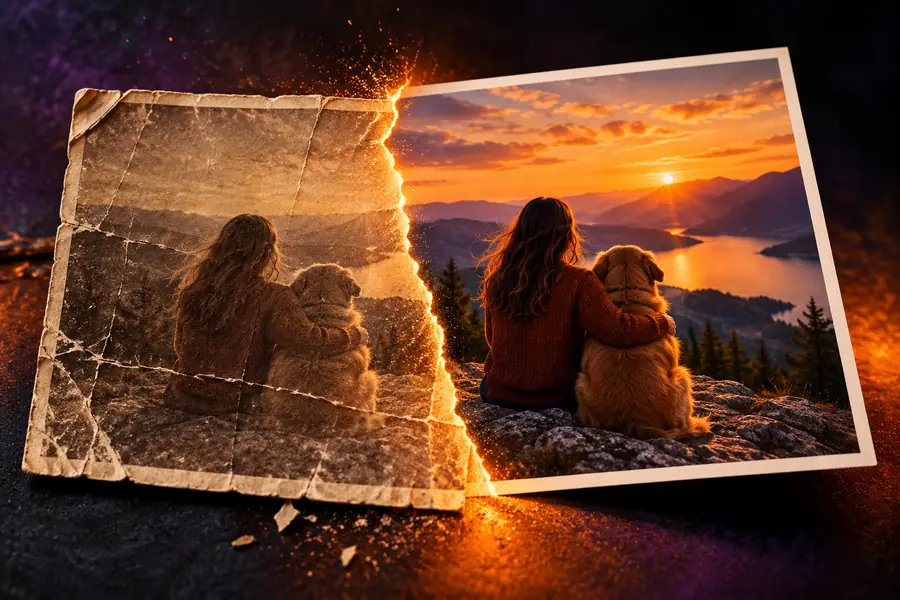
An AI enhancer is software that analyzes an image and improves selected visual qualities, such as detail, sharpness, color, or visible noise. Aienhancer explains what the process can realistically achieve.
An AI enhancer uses trained image models to estimate missing or unclear visual information, then produces a cleaner, sharper, or more balanced version of an existing image.
The process is not magic restoration. It identifies patterns, applies a learned correction, and may reconstruct details that were never clearly captured in the source.
It cannot recover every lost detail
If an image is severely blurred, compressed, or tiny, the model has limited evidence to work from and may create plausible rather than original detail.
Workaround
Use the highest-quality source available and compare the result at full size.
It cannot guarantee historical accuracy
When an old photograph is damaged or partially missing, an enhancement can make faces and textures clearer without proving exactly what was there.
Workaround
Keep the original beside the enhanced copy and treat uncertain areas as interpretations.
It cannot fix every composition problem
Enhancement can improve visibility, but it does not automatically turn a poorly framed, blocked, or incorrectly exposed image into a strong photograph.
Workaround
Crop, retouch, or adjust the image separately when the main issue is composition.
It cannot remove all artifacts safely
Noise, ringing, text, watermarks, and compression can overlap with real edges, so aggressive correction may soften or alter important features.
Workaround
Use moderate settings and inspect faces, lettering, and fine textures before sharing the result.
The basic process
What an AI enhancer can and cannot do
Most enhancement workflows follow three practical stages. Each stage improves the image only within the evidence and quality limits of the source file.
1
Inspect the source
The model reads patterns such as edges, texture, lighting, faces, and compression marks to identify areas that need correction.
2
Apply learned improvements
It sharpens or reconstructs selected details, balances color and contrast, and reduces distracting noise according to the image content.
3
Review the output
You compare the result with the original, checking whether added clarity looks natural and whether any important features were changed.
A practical example
Original
Enhanced
Enhancement can reveal more visible detail, but it does not recreate the original capture perfectly.
At a glance
Original image
Enhanced image
Source information
Original image
Contains the details captured by the camera or scanner.
Enhanced image
Uses the source plus learned visual patterns to improve presentation.
Fine detail
Original image
May look soft, pixelated, or obscured at larger sizes.
Enhanced image
Can appear clearer, though reconstructed detail may not be exact.
Noise and compression
Original image
May include grain, blockiness, or color artifacts.
Enhanced image
Can reduce distracting artifacts when they are distinguishable from real texture.
Color balance
Original image
May look dull, uneven, or affected by old lighting.
Enhanced image
Can produce more balanced color and contrast in suitable images.
Faces and objects
Original image
Important features may be hard to see in a low-quality file.
Enhanced image
Can make visible features easier to inspect without guaranteeing identity or accuracy.
Best use
Original image
Preserve as the reference for comparison and provenance.
Enhanced image
Use when you need a clearer version for viewing, editing, or sharing.
Common users
Who uses an AI enhancer
Different people use enhancement for different reasons, but the useful starting point is always the same: identify what is genuinely weak in the source image before choosing a correction.
Family archivists
They have scanned photographs with faded color, dust, or soft facial detail.
A clearer copy can make an old family collection easier to inspect while the original remains preserved.
Now that you know what an AI enhancer is, test the idea on an image that needs clearer detail, better balance, or a more usable starting point. Keep the original so you can judge every change honestly.
An AI enhancer is software that uses trained models to improve qualities in an existing image, such as sharpness, color, contrast, resolution, or visible noise. It analyzes patterns in the source and generates a revised version rather than simply applying one fixed filter.
It examines edges, textures, colors, and other visual patterns, then applies learned corrections to areas that appear unclear or degraded. Depending on the source, the result may look sharper, cleaner, better balanced, or easier to view at a larger size.
It can often make a damaged or blurry photo more legible, but it cannot guarantee recovery of details that were never captured. Strong blur, missing areas, and heavy compression may lead to plausible reconstruction rather than a perfectly accurate restoration.
No. Enhancement can change texture, lettering, facial details, or color when the original evidence is weak. Keep the original file, compare both versions, and treat reconstructed details as an aid to viewing rather than unquestionable proof.
Anyone who needs to inspect, edit, preserve, or share an image with limited clarity may find it useful. Common users include families restoring scans, photographers refining soft shots, sellers improving product visibility, and artists preparing references.