Portrait creators
A headshot needs a memorable illustrated treatment for a profile, character concept, or personal project.
A focused prompt can preserve pose and expression while shifting the visual language toward anime.
ai face enhancerImage transformation
A photo to anime converter turns an ordinary image into an anime-inspired result while preserving the main subject. Use Aienhancer to guide the transformation with a focused prompt.
Explore related tools
This route focuses on changing a photo into an illustrated anime-style image, rather than simply sharpening, enlarging, or correcting color.
Choose a starting point
The best results begin with a clear purpose: define what should remain recognizable and what should become more stylized.
A headshot needs a memorable illustrated treatment for a profile, character concept, or personal project.
A focused prompt can preserve pose and expression while shifting the visual language toward anime.
ai face enhancerA vacation or lifestyle photo needs a distinctive visual variation for a post, story, or thumbnail.
A stylized version can add personality without requiring a separate illustration workflow.
ai photo enhancerA reference image provides clothing, posture, or facial cues for an early character direction.
The converted image can help test an anime concept before refining the final design.
ai enhancer for photoAn older or ordinary snapshot deserves a playful illustrated interpretation while keeping its key people visible.
A gentle anime treatment can make the image feel more expressive without replacing the original.
photo enhancer freeSimple workflow
Use the workspace as a controlled image-to-image step: describe the style, check the result, then refine only what needs changing.
Choose a clear image with the subject visible and enough detail for the intended anime treatment.
Mention the character mood, line quality, shading, color palette, and background changes you want.
Compare the result with the source and adjust the prompt if identity, pose, clothing, or composition drifted.
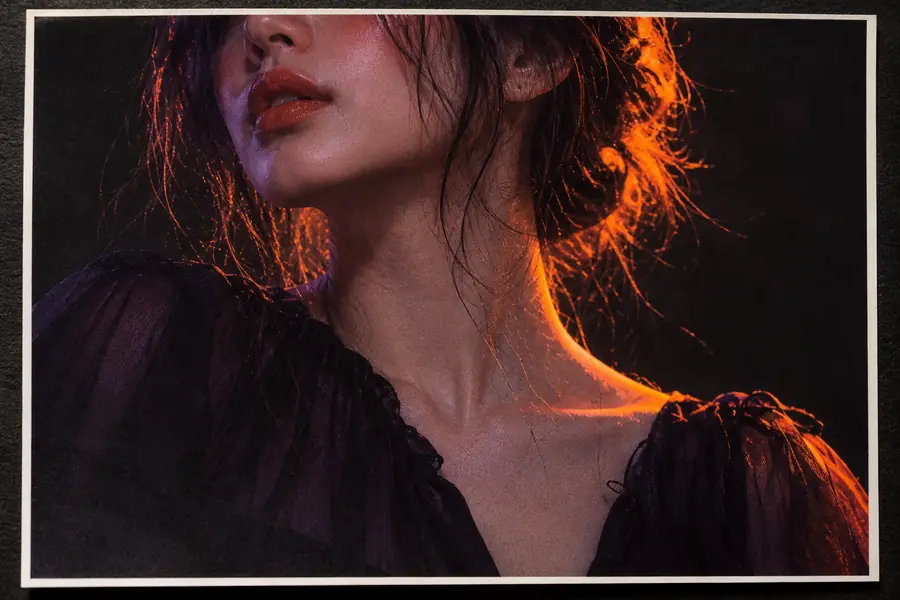 Source photo
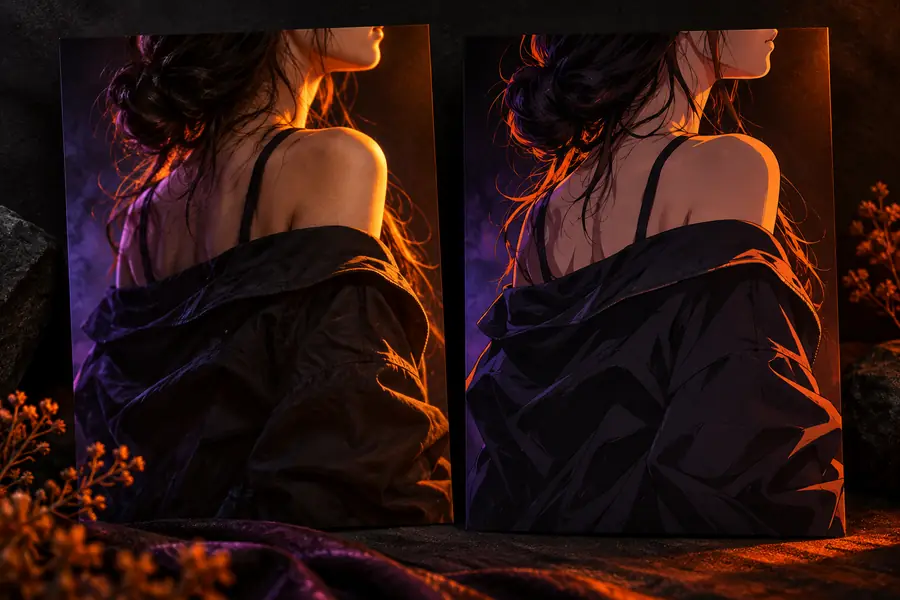 Anime result
Output guide
A successful conversion changes the rendering style while keeping the useful visual anchors of the original image.
Primary look
Original photo
Photographic texture and natural lighting
Anime-styled result
Illustrated lines, simplified forms, and stylized shading
Facial detail
Original photo
Fine skin, hair, and expression detail
Anime-styled result
Emphasized eyes, cleaner shapes, and selective detail
Color treatment
Original photo
Colors captured from the scene
Anime-styled result
A guided palette with stronger or softer anime influence
Background
Original photo
Existing environment and depth cues
Anime-styled result
May be simplified, softened, or reinterpreted
Identity cues
Original photo
Direct reference for face, pose, and clothing
Anime-styled result
Should remain recognizable but can shift with the style
Best use
Original photo
Documentation, reference, and realistic sharing
Anime-styled result
Avatars, concepts, themed posts, and visual experiments
Strong style changes can alter facial proportions, hair details, or small identifying features.
Workaround
Use a clear source and ask the result to preserve the face, pose, and defining clothing.
Heavy blur, extreme darkness, blocked faces, or severe compression leave less information to transform.
Workaround
Start with the clearest available image and improve its basic visibility before conversion.
The output is a generated visual direction, not a frame-by-frame drawing or fully art-directed character sheet.
Workaround
Use the result as a concept reference and refine important artwork manually.
Anime styling may simplify textures, signs, crowds, or complex scenery.
Workaround
State which background elements must remain and review the result before sharing.
Bring a clear source image and a specific visual idea to the workspace. Aienhancer can help you test an anime treatment, compare the result with the original, and refine the details that matter most.
Convert my imageVariant questions
It transforms a photographic image into an anime-inspired illustration. The process can change line work, facial emphasis, shading, colors, and background treatment while using the original photo as visual guidance.
Yes, portraits are a natural use case because the face, pose, hair, and clothing give the transformation clear reference points. Use a well-lit image and describe which identity cues should remain recognizable.
Not necessarily. Anime styling simplifies and redraws visual information, so small facial features, textures, and background elements may change even when the overall subject remains similar.
A sharp image with a visible subject, balanced lighting, and a simple enough composition is usually easier to guide. Avoid heavily blurred, tiny, obstructed, or extremely dark photos when possible.
You can guide the result by describing the mood, line quality, shading, palette, expression, and background. Specific instructions are more useful than a broad request such as “make it anime.”